

A practical, step-by-step guide for IT leaders, CTOs, and business owners who want to keep their data in Europe — fully compliant, fully secure.
Why Now? The Case for European Sovereign Cloud
Data sovereignty is no longer just a buzzword — it is becoming a legal and competitive necessity. With GDPR enforcement tightening, NIS2 directives expanding, and enterprise customers demanding proof of EU-based data handling, mid-size companies face growing pressure to demonstrate where their data lives and who can access it.
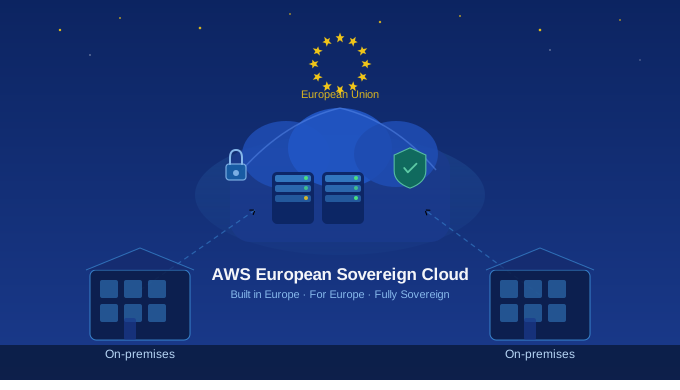
The AWS European Sovereign Cloud is a new, independent cloud region entirely located within the European Union. It is designed specifically for organisations that must meet the most stringent sovereignty, compliance, and data residency requirements — without sacrificing the full power of the AWS ecosystem.
Key benefits at a glance:
- Data stays in the EU — always. No exceptions, no asterisks.
- Operated by EU-based AWS personnel, independent from global AWS infrastructure.
- Full AWS feature parity — same services, APIs, and tooling you already use.
- Strong legal protections, contractual sovereignty assurances, and technical access controls.
- Designed for regulated industries: finance, healthcare, public sector, and legal services.
Step 1: Assess Your Current Infrastructure
Before you move a single workload, you need a clear picture of what you have. This phase typically takes 2–4 weeks for a mid-size company and is the single most important investment in the entire migration.
What to document during your assessment:
- Inventory all applications — on-premises, existing cloud, and SaaS.
- Map data flows: where data originates, where it is stored, and where it moves.
- Identify data classification levels — personal data (GDPR-relevant), sensitive business data, and public data.
- Review existing cloud provider contracts for data transfer and residency clauses.
- List all compliance obligations: GDPR, industry-specific regulations, customer contractual requirements.
- Assess team skills — identify AWS knowledge gaps that will need training or external support.
Tip: Use AWS Migration Evaluator or engage a certified AWS migration partner (like onedata.sk) to accelerate this phase and avoid costly blind spots.
Step 2: Define Your Migration Strategy
Not every workload migrates the same way. The industry standard framework — the 7 Rs — helps you choose the right approach for each application:
- Rehost (Lift & Shift): Move the application as-is with no changes. Fastest, lowest risk. Good for stable legacy systems.
- Replatform (Lift, Tinker & Shift): Small optimisations during migration — e.g., moving a database to Amazon RDS without rewriting the app.
- Refactor / Re-architect: Redesign the application to be cloud-native. Highest effort, highest long-term benefit. Consider this for core systems.
- Repurchase: Replace an on-premises application with a SaaS solution already available in the EU region.
- Retire: Decommission applications that are no longer needed. Often 10–20% of your portfolio qualifies.
- Retain: Keep certain workloads on-premises for now — perhaps older systems not yet ready for migration.
- Relocate: Move workloads from one cloud region to another (e.g., from AWS Frankfurt to AWS European Sovereign Cloud).
For most mid-size companies, the practical mix is: Rehost for 50–60% of workloads to move fast, Replatform for databases and middleware, and Refactor selectively for your most business-critical applications.
Step 3: Build Your Landing Zone
A Landing Zone is your secure, pre-configured AWS environment — the foundation on which everything else will be built. Getting this right before any workloads arrive saves enormous rework later.
A well-built Landing Zone includes:
- Multi-account structure using AWS Organizations — separate accounts for production, staging, development, and security.
- Identity and Access Management (IAM) — least-privilege policies, SSO integration, and MFA enforcement.
- Network architecture — VPCs, subnets, private connectivity, and no public exposure of sensitive workloads.
- Centralised logging and monitoring — AWS CloudTrail, AWS Config, Amazon GuardDuty, and AWS Security Hub.
- Backup and disaster recovery — automated snapshots, cross-region replication policies within the EU.
- Tagging strategy — consistent resource tagging for cost allocation, ownership, and compliance reporting.
AWS Control Tower can automate much of the Landing Zone setup. For companies with specific compliance requirements, a customised deployment with guidance from an AWS partner is strongly recommended.
Step 4: Migrate in Waves
A phased, wave-based migration reduces risk dramatically. Rather than attempting a “big bang” cutover, you move groups of workloads together, validate them, and then proceed to the next wave.
Recommended wave structure for a mid-size company:
- Wave 1 — Pilot (Week 1–4): Migrate 2–3 non-critical, low-risk workloads. Learn your processes, identify friction points, validate tooling.
- Wave 2 — Non-Critical Production (Week 5–10): Move supporting systems: development environments, internal tools, file storage, and test systems.
- Wave 3 — Core Business Applications (Week 11–20): Migrate primary business systems — ERP, CRM, databases, and key APIs. Extensive testing before and after.
- Wave 4 — Mission-Critical & Cutover (Week 21–28): Final workloads, DNS cutovers, decommission legacy systems. Full operational validation.
Migration timeline for a mid-size company typically ranges from 4 to 9 months depending on the complexity of your application portfolio and the level of refactoring required.
Step 5: Ensure Security and Compliance Throughout
Security is not a final step — it is woven into every stage of the migration. The AWS European Sovereign Cloud provides strong technical controls by default, but your team must configure and maintain them correctly.
Security checklist for your migration:
- Enable AWS Security Hub and set up automated compliance checks against EU standards (ISO 27001, GDPR, NIS2).
- Encrypt all data at rest and in transit — AWS KMS with customer-managed keys stored in the EU.
- Configure Amazon Macie to automatically discover and protect personal data (PII).
- Set up Amazon GuardDuty for continuous threat detection.
- Perform penetration testing on migrated workloads before go-live.
- Establish a Security Operations runbook — who responds to alerts, and how.
- Review and document your GDPR Data Processing Agreements with AWS for the Sovereign Cloud region.
Using a tool like Wiz alongside AWS native security services gives you a unified view of your cloud security posture — catching misconfigurations and vulnerabilities before they become incidents.
Step 6: Optimise Costs After Migration
Many companies are surprised to discover that a well-managed cloud environment costs less than expected — but only if you actively optimise it. Cloud cost management is an ongoing discipline, not a one-time task.
- Right-size your compute resources using AWS Compute Optimizer recommendations.
- Purchase Savings Plans or Reserved Instances for predictable, steady-state workloads.
- Use auto-scaling to eliminate idle capacity during off-peak hours.
- Set up AWS Cost Anomaly Detection to catch unexpected spend spikes early.
- Review and eliminate unused resources, snapshots, and unattached volumes monthly.
- Implement resource tagging to allocate costs to business units and projects accurately.
5 Common Migration Mistakes to Avoid
- Skipping the assessment phase: Rushing into migration without a full inventory leads to missed dependencies and costly surprises.
- Lifting and shifting everything: Moving a poorly architected application to the cloud just makes it a poorly architected cloud application. Choose your refactor candidates wisely.
- Underestimating data transfer time: Large datasets take longer to move than expected. Plan your migration windows accordingly — especially for databases.
- Neglecting staff training: The best infrastructure fails if your team doesn’t know how to operate it. Budget for AWS training alongside the technical migration.
- Going it alone without a partner: A certified AWS migration partner brings experience from dozens of similar projects — reducing timelines and avoiding the pitfalls that cost others months of rework.
Ready to Start Your Migration?
At onedata.sk, we specialise in seamless migrations to the AWS European Sovereign Cloud. From the initial assessment through to post-migration optimisation, we guide mid-size companies through every step — so you can focus on running your business while we handle the complexity.
Our team brings deep AWS expertise, hands-on Wiz security integration, and a track record of successful migrations across finance, logistics, healthcare, and technology sectors in Central Europe.